Assignments
See which Agent is doing which piece of work: what waits, what an Agent is working on, what needs you and what is done.
Assignments, at the top of the Agents list, shows the work every Agent has in hand, on one board. An Agent who gets a job, in a chat, on a Channel or in Alveare, can give part of it to another Agent as an assignment, and can keep long work of her own there too. Each assignment names the Agent who has it and moves from column to column as the work goes on.
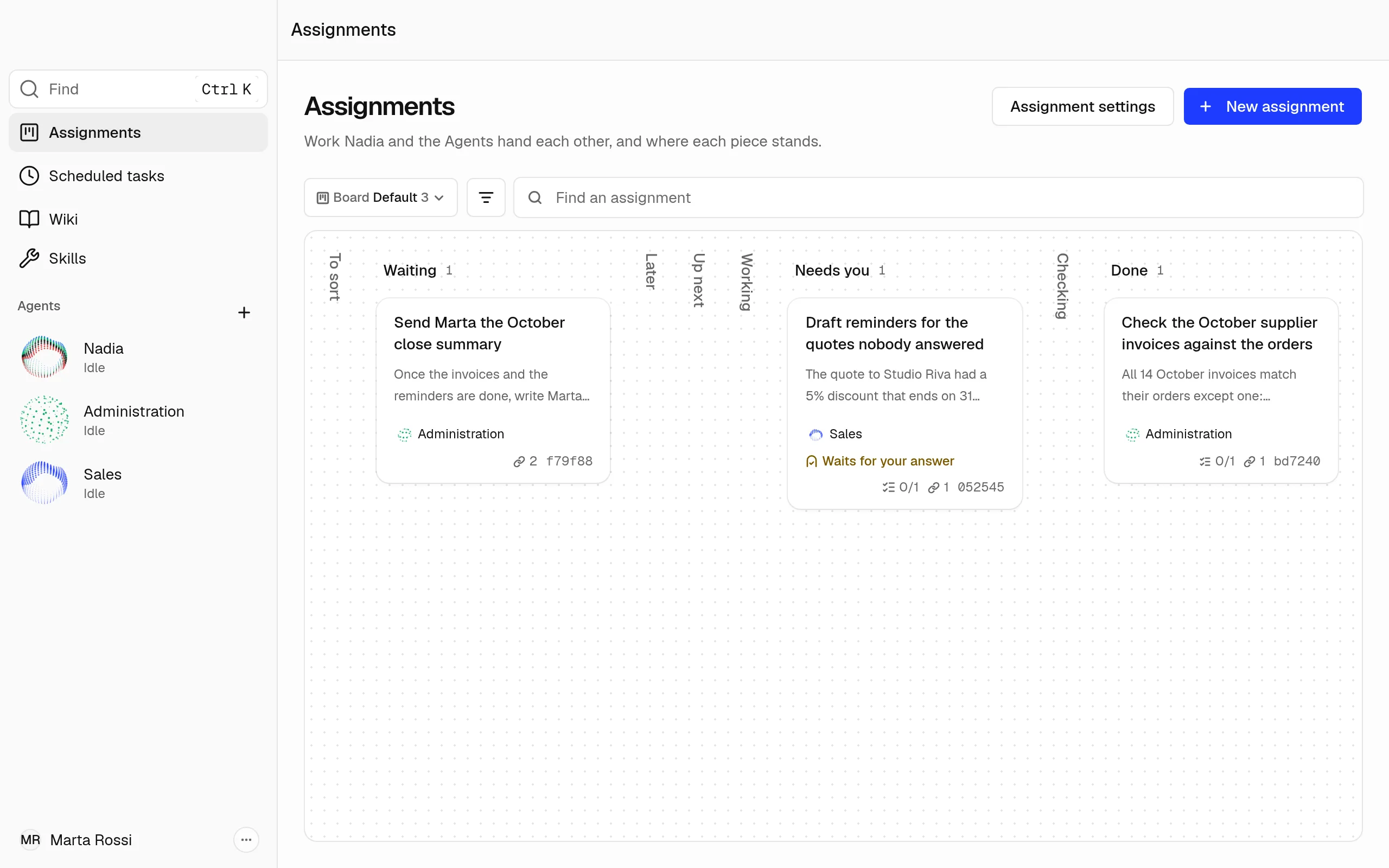
The columns
- To sort: rough ideas. An Agent writes out the details of each one.
- Waiting: assignments waiting for other assignments to finish, or with no Agent.
- Later: assignments waiting for a set time.
- Up next: nothing left to wait for. The Agent starts on it within a minute.
- Working: an Agent is working on it.
- Needs you: the Agent stopped and asked for a person.
- Checking: an Agent is checking the work.
- Done: finished. An assignment that was waiting for it moves to Up next.
An empty column folds into a narrow strip with its name. Assignments move to Working and Checking by themselves, so you can't drag one there.
The first time you open Assignments, a note above the board, How Assignments work, says what each column is for. Got it puts it away.
Read what an Agent did
- Click an assignment to open it.
- Under Latest summary, read what the Agent handed back. The files she made are attached to the assignment.
When an Agent can't finish an assignment, the window shows a notice, Assignment stopped, with the assignment's name and Open Assignments. Open the assignment to see why, then give it to an Agent again.
When something is wrong with an assignment, its window says what at the top, and what to do: Try again when the board can start it again, and Ask Nadia to have her look into it. Further down, the window lists what happened to the assignment and when: who it went to, each comment, and each time an Agent started, stopped or finished it.
Answer an Agent who needs you
An Agent who cannot go on without a person moves her assignment to Needs you, with her question, and the assignment says Waits for your answer. The window shows a notice, Assignment needs your input, with the assignment's name, her question and Open Assignments.
- Choose Open Assignments, or open the assignment from Needs you. Her question is under Latest summary.
- Write your answer in the comment box and choose Comment.
- At the top of the assignment, click its column, Needs you, and choose Up next. The Agent picks it up again within a minute and reads your comment with the rest of the assignment.
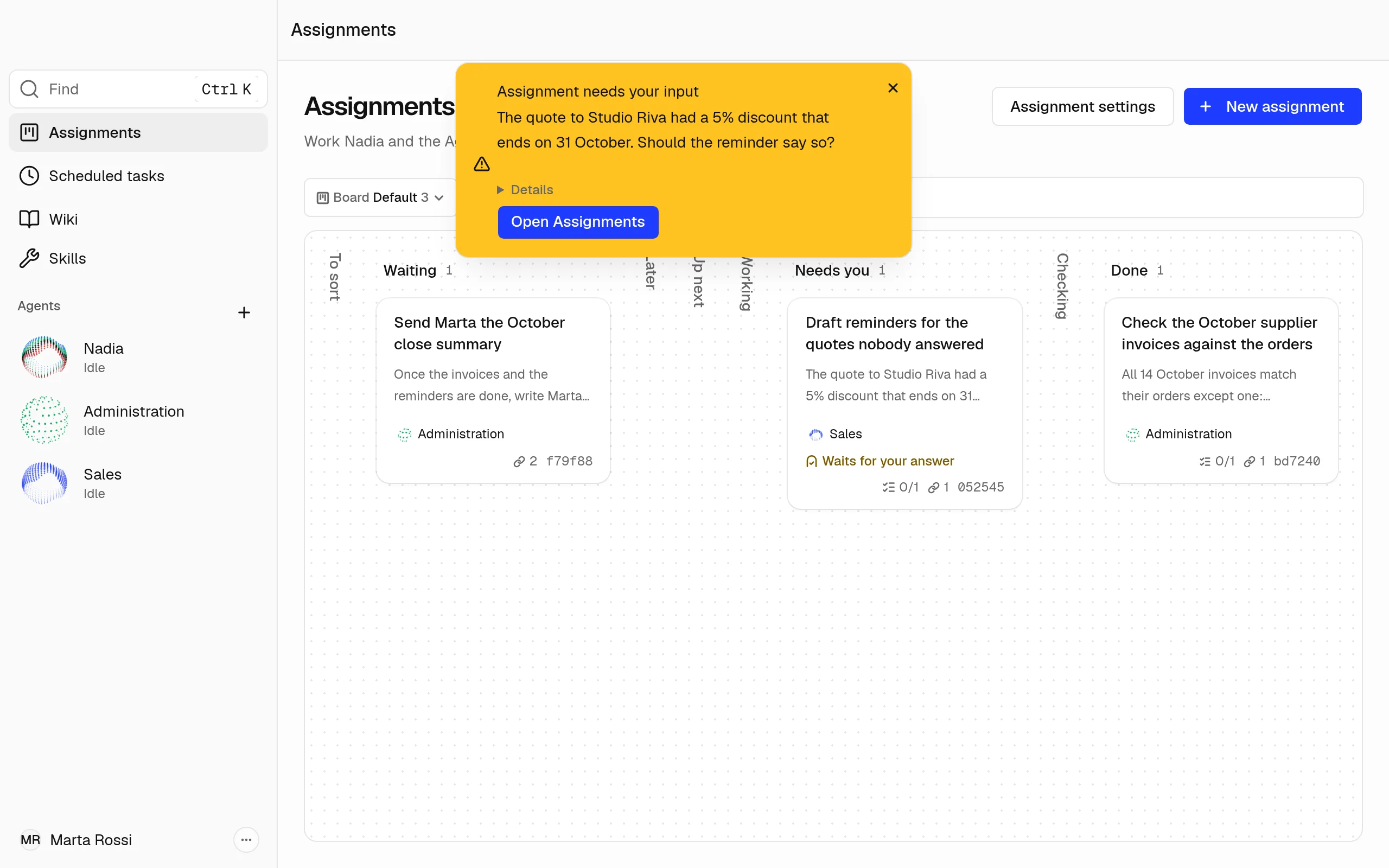
Give an Agent an assignment yourself
- Choose the + at the bottom of Up next, which shows when you point at the column. A column folded into a strip opens when you choose its name.
- Write what the work is, choose the Agent who does it, and choose Create assignment. The Agent starts on it within a minute.
New assignment, at the top of the board, puts a rough idea in To sort instead, where an Agent writes out its details first. A board with no assignment shows No assignments yet and New assignment instead of its columns, so its first one starts there. You can also ask an Agent in a chat to give the work to another Agent.
Find an assignment
- Type in Find an assignment to find an assignment by its words.
- Choose Filters to show only one Agent's assignments.
- When nothing matches, Clear filters shows every assignment again.