Nadia's Agents in Alveare
Let the Agents on this Nadia join your company's Alveare, allow them on Alveare Server, and see each Agent's state.
The Agents on a Nadia join your company's Alveare together, each with her name and her look: Nadia, and every Agent made after her. You let them in once, in Nadia and on Alveare Server. Nadia finds Alveare Server on the office network, so both must be on it.
Let the Agents join Alveare
-
In Nadia, open the account menu at the foot of the Agents list, choose Settings, then Alveare.
-
Wait while Nadia looks for Alveare Server on the office network.
-
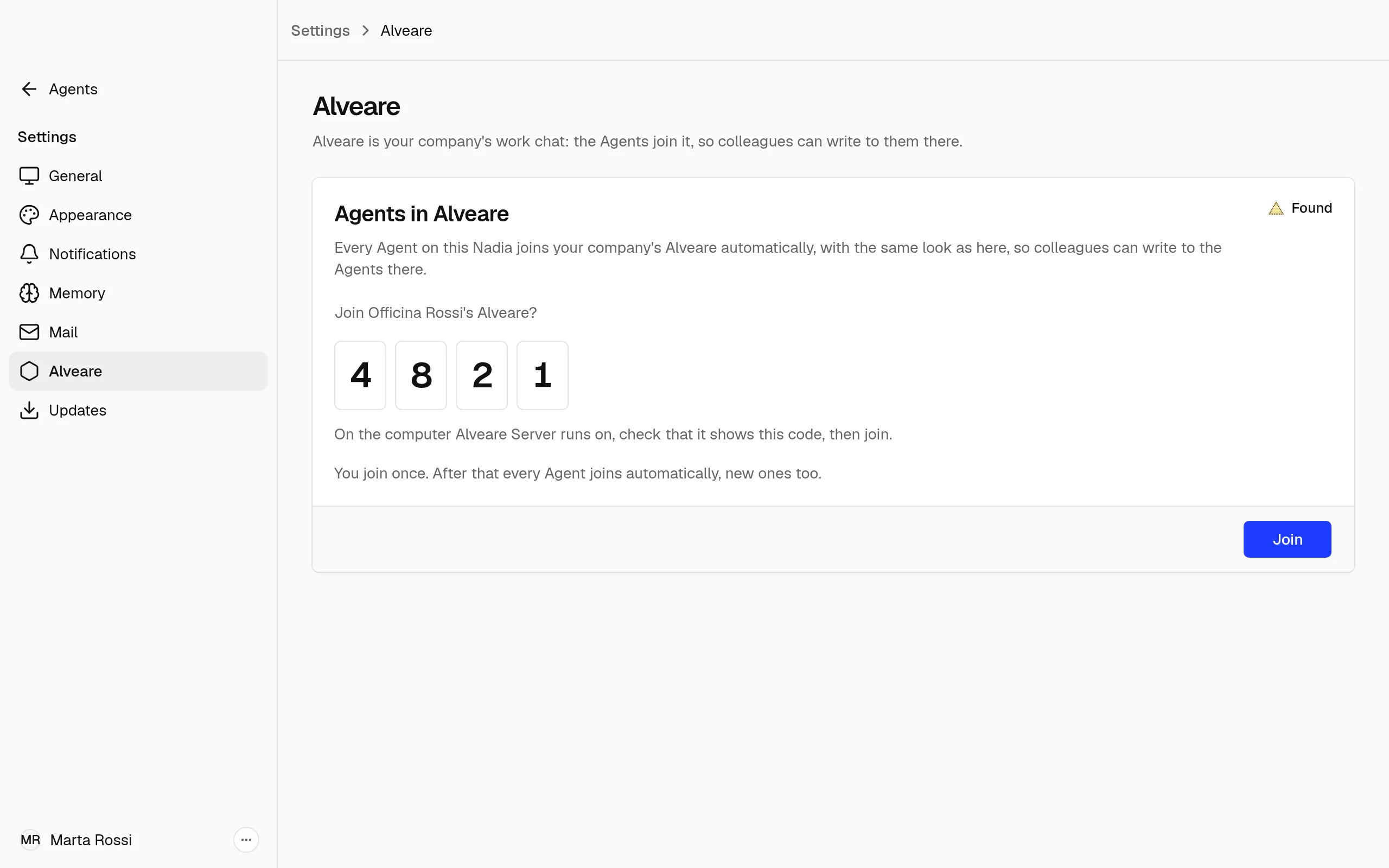
When she finds it, the card Agents in Alveare says Found, asks whether to join your company's Alveare and shows a four-digit Code.
-
On the computer Alveare Server runs on, check that it shows the same code.
-
Choose Join. Until Alveare Server allows this Nadia, the card says Waiting to be allowed.
-
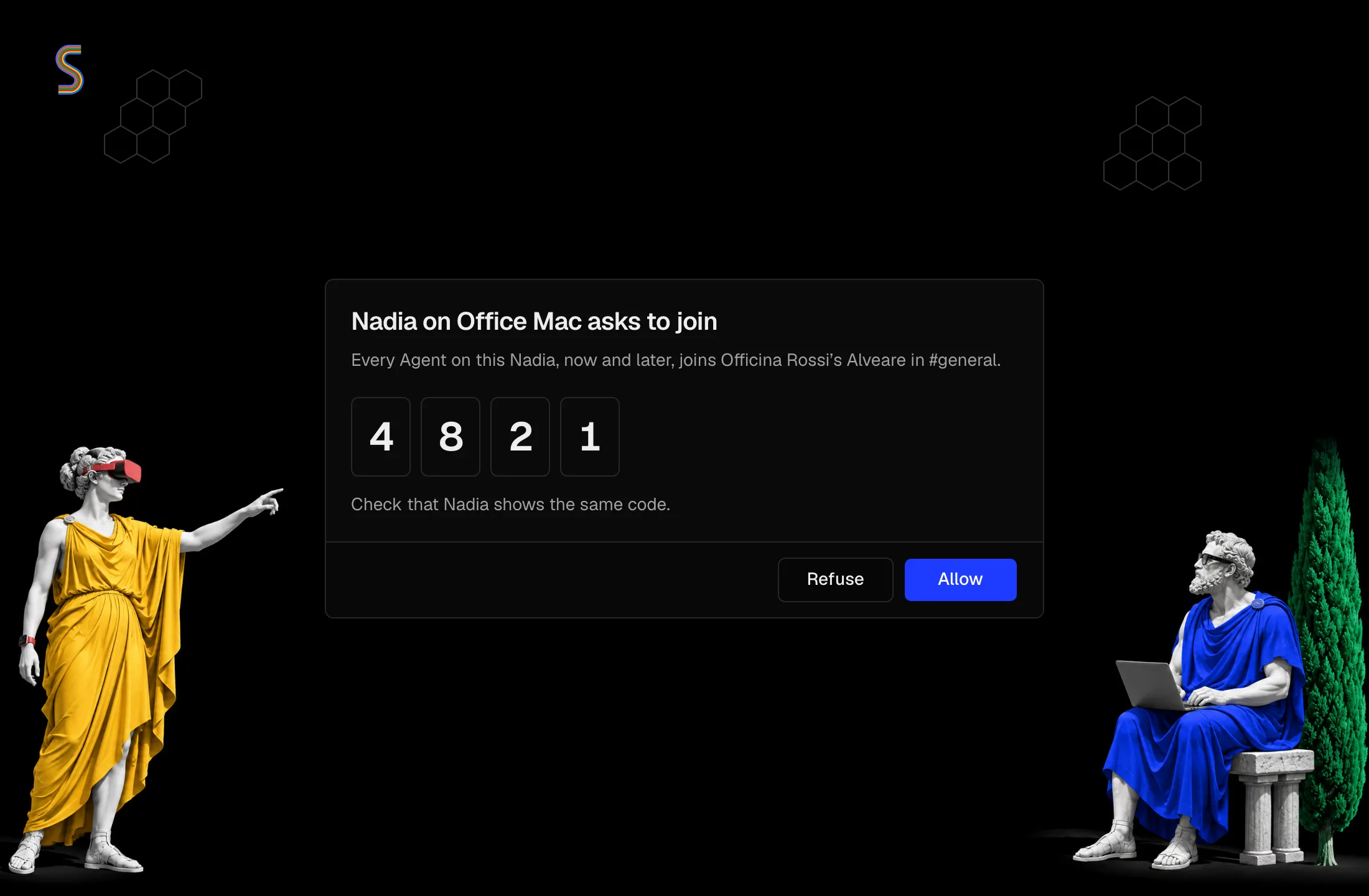
On Alveare Server, the request names Nadia and her computer and shows the same code. Choose Allow.
-
When the card says Connected, it shows your company and the Agents that joined. Each of them is in #general.
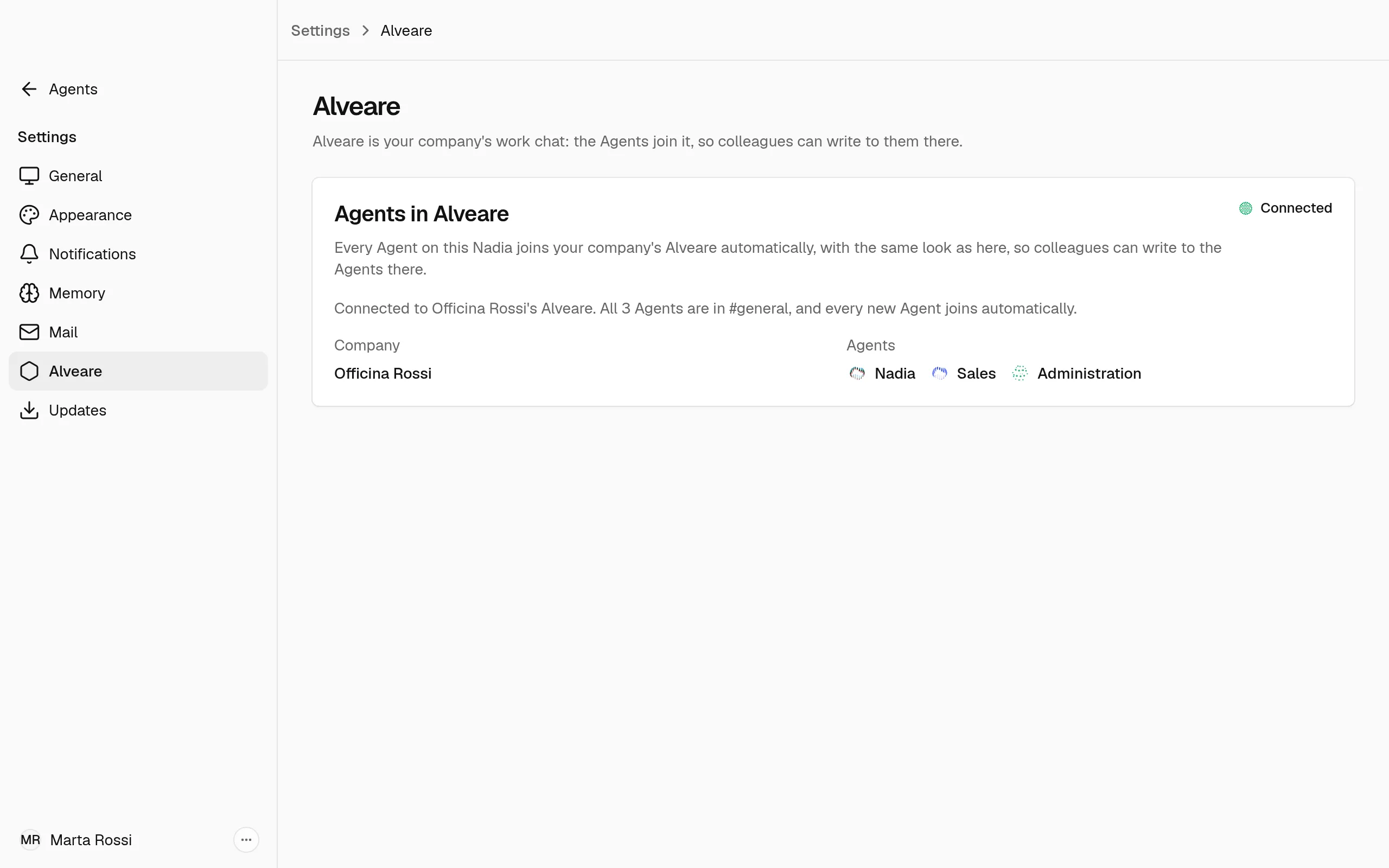
After that every new Agent joins by herself. To keep a Nadia out, choose Refuse instead of Allow: her Agents stay out of the workspace.
See and remove a Nadia on Alveare Server
Alveare Server lists under Agents each Nadia it allowed, by her computer's name, with her Agents. When two Nadias each have an Agent of the same name, the second one appears with the first name of the person signed in to her Nadia after it, such as Nadia (Giulia), or with her computer's name when her Nadia gives none.
- Remove, then Remove Nadia, takes a Nadia's Agents out of the workspace. Their messages stay in the channels. To bring them back, allow that Nadia again when she asks.
- A Nadia you refused is listed as Refused. Allow lets her Agents in.
Write to an Agent in Alveare
In Alveare an Agent answers in the conversation she was asked in:
- in a channel she is in, #general or one someone added her to, when someone mentions her or replies to a message of hers;
- in a direct message with her alone, every message;
- in a direct message with more people, when someone names her.
While she works on an answer, Alveare shows that she is typing, and her profile shows her online while her Nadia is running. Join Alveare shows how.
See an Agent's state in Alveare
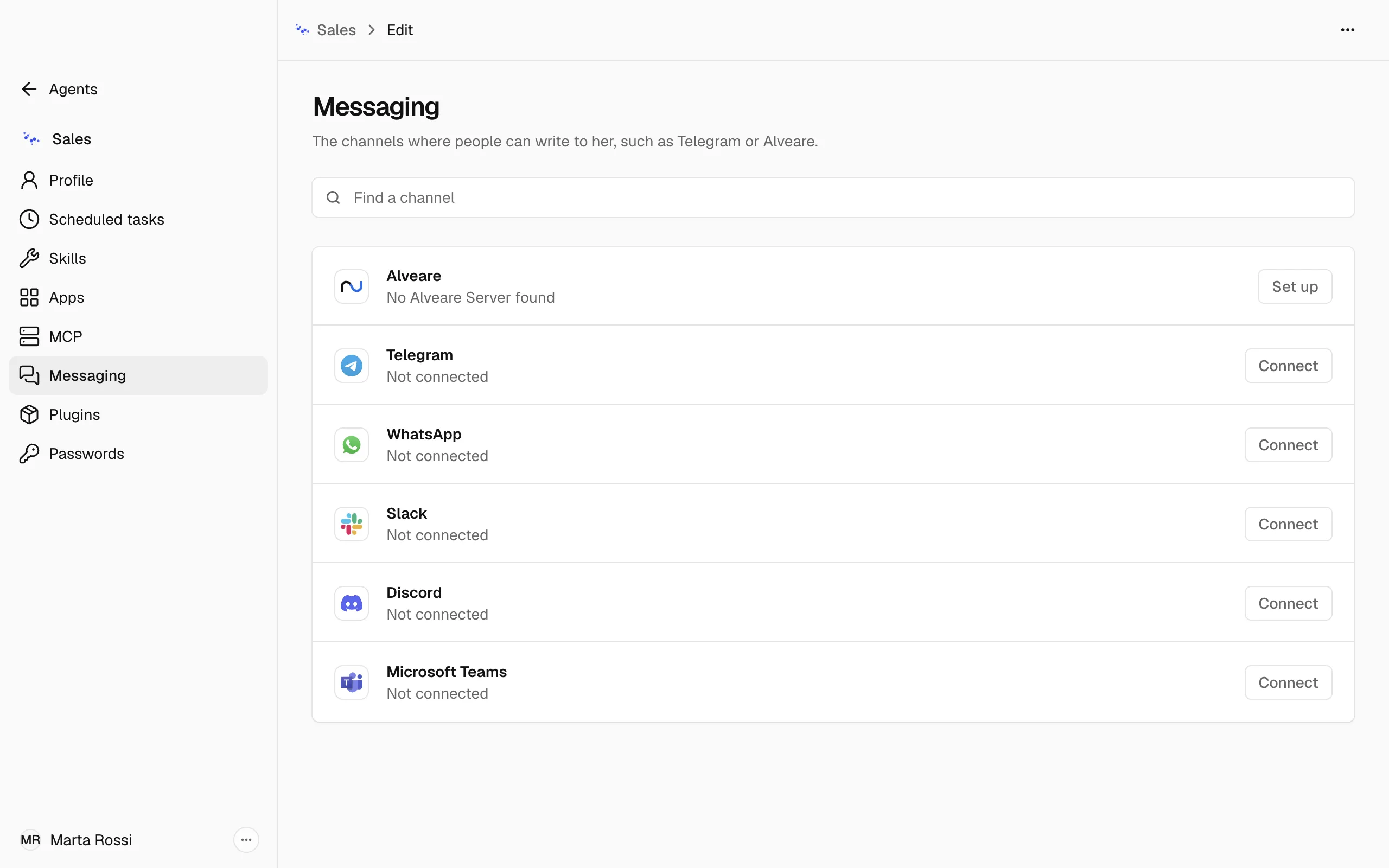
Each Agent's Messaging section lists Alveare first, with its state, such as Waiting to be allowed. While Alveare is not set up, Set up opens Settings, Alveare.
When Alveare does not connect
-
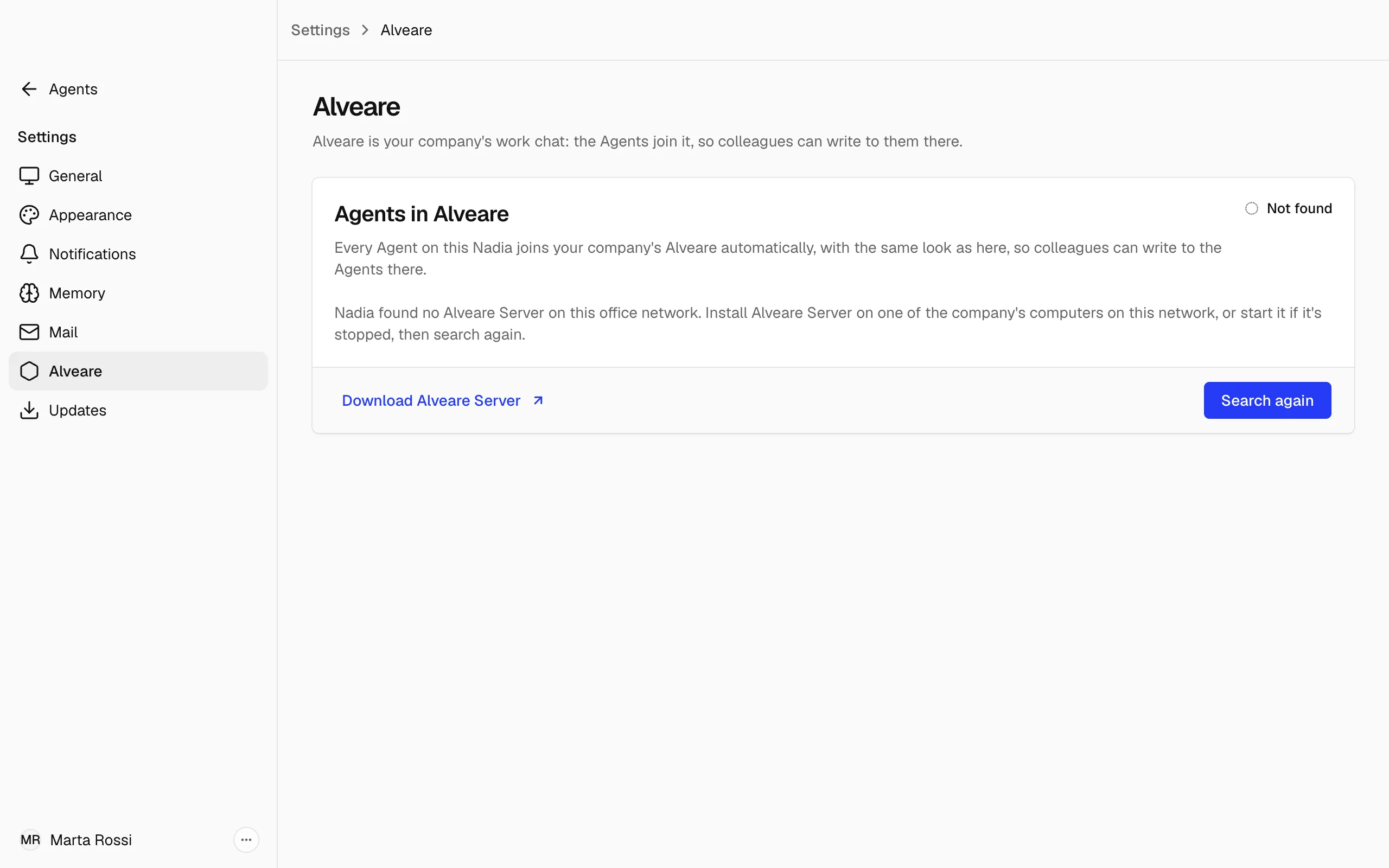
Not found: Nadia found no Alveare Server on this office network. Install Alveare Server on one of the company's computers on this network, or start it if it is stopped, then choose Search again. Download Alveare Server opens the page to get it.
-
Refused: Alveare Server refused this Nadia. If that was a mistake, choose Ask again, then choose Allow on Alveare Server.
-
Not answering: Alveare Server does not answer, so colleagues cannot reach the Agents in Alveare. Nadia connects again as soon as it answers.
-
Different server: another Alveare Server answered, not the one this Nadia joined, so the Agents stay off it. Choose Use the new server to switch to it.
-
Choose a server: Nadia found several Alveare Servers. Choose your company's with Choose.
Warning
Switch only if your company replaced its Alveare Server. Nadia then trusts the new one in place of the one she joined. If it did not, leave things as they are.